
Online JSON tools compared
There are dozens of JSON formatters, and most of them look the same until you paste something sensitive or need more than pretty-printing. We compared six popular ones: CurlyJSON (ours), JSONLint, JSON Editor Online, JSON Crack, JSONFormatter.org and CodeBeautify.
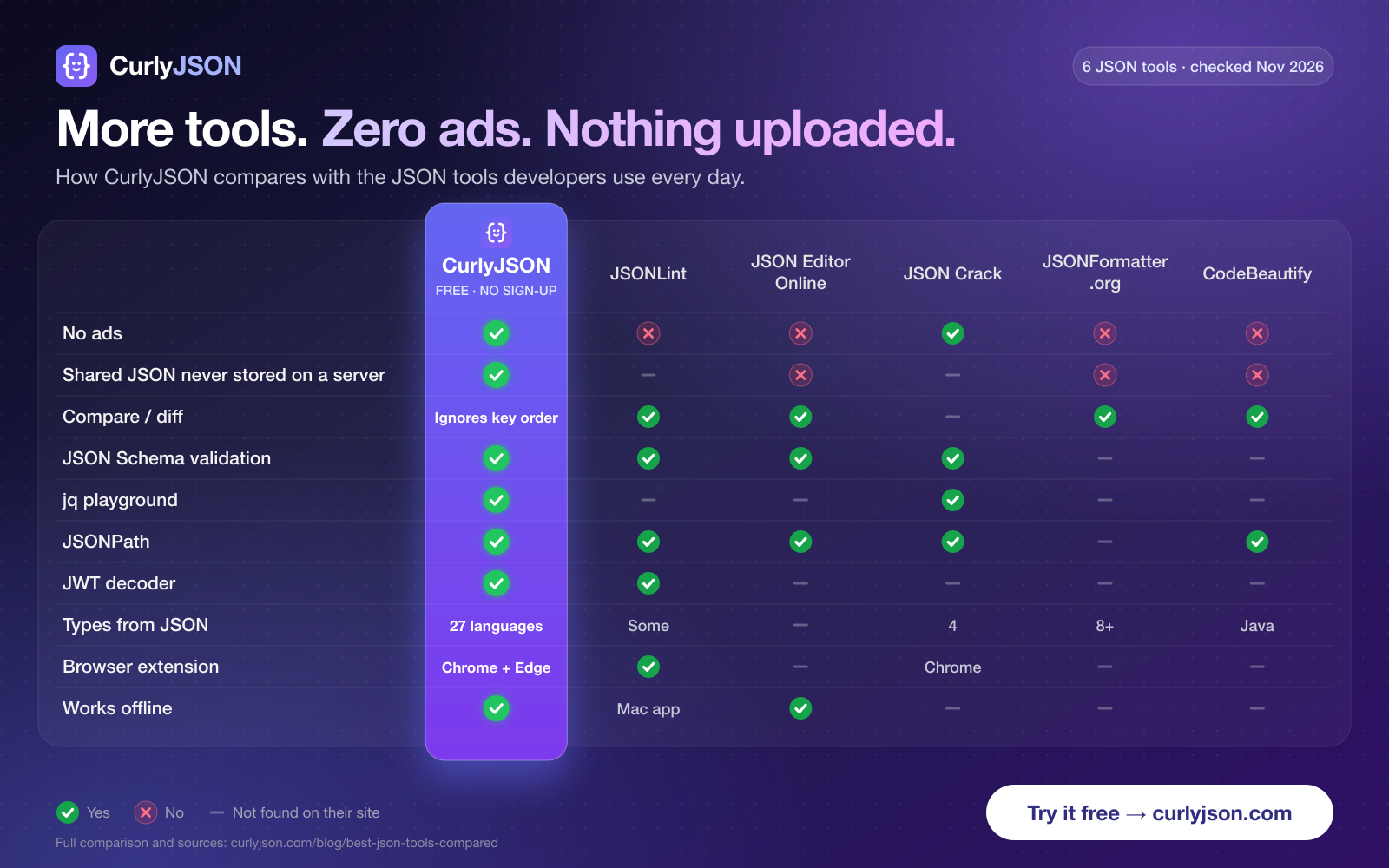
We checked each site’s menus and pages in November 2026. “—” means we couldn’t find the feature, not that it definitely doesn’t exist. Sites change often, so check them for current details. We build CurlyJSON, so read this with that in mind.
The full table
| CurlyJSON | JSONLint | JSON Editor Online | JSON Crack | JSONFormatter.org | CodeBeautify | |
|---|---|---|---|---|---|---|
| Ads on the page | No | Yes | Yes ($2 to remove) | No | Yes | Yes |
| Shared JSON | Kept in the link, never on a server | — | Cloud documents | — | Saved online | Saved as a link |
| Compare / diff | Yes, ignores key order | Yes | Yes | — | Yes | Yes |
| JSON Schema validation | Yes | Yes | Yes | Yes | Generates schemas | — |
| jq | Yes | — | — | Yes | — | — |
| JSONPath | Yes | Yes | Yes | Yes | — | Yes |
| JWT decoder | Yes | Yes | — | — | — | — |
| Types from JSON | 27 languages | Some | — | 4 languages | 8+ languages | Java |
| Browser extension | Chrome & Edge | Yes | — | Chrome | — | — |
| Works offline | Yes | Mac app | Yes | — | — | — |
| Largest file | 10 MB free, 100 MB Pro | — | 512 MB | — | — | — |
Why “where shared JSON goes” matters
Most tools run their formatting in your browser. The difference is what happens when you click Save or Share. Some sites store your JSON on their server and give you a link to it.
That’s convenient, but it has gone wrong before. In November 2025, security researchers at watchTowr reported that around 80,000 saved JSON snippets on JSONFormatter.org and CodeBeautify could be found through predictable links, including passwords, cloud keys and private keys (BleepingComputer, Help Net Security). JSON Editor Online is upfront about this in its FAQ: cloud documents are readable by anyone who has the document id, so don’t save sensitive data there.
CurlyJSON’s share links put a compressed copy of your data after the # in the URL, a part
browsers never send to a server. Anyone you give the link to can still read it, so CurlyJSON also
warns you about API keys and passwords before it makes a link.
When to pick each one
- JSONLint if you want the long-standing validator many tutorials link to, and don’t mind ads. It also has a JWT decoder, a browser extension and a Mac app.
- JSON Editor Online if you edit large documents by hand (up to 512 MB) in tree or table views, or want to save documents in the cloud.
- JSON Crack if seeing JSON as a graph is your main job, or you want an open-source tool. More in CurlyJSON vs JSON Crack.
- JSONFormatter.org or CodeBeautify if you need a quick format or one of their many converters, and won’t use the save feature for anything sensitive.
- CurlyJSON if you paste API responses with tokens or customer data and want no ads, no account and nothing stored on a server, plus a diff that ignores key order, jq, schema validation and types in 27 languages in one place.
More one-on-one comparisons: JSONLint · JSON Editor Online · JSON Crack · JSONFormatter.org · CodeBeautify · all comparisons.